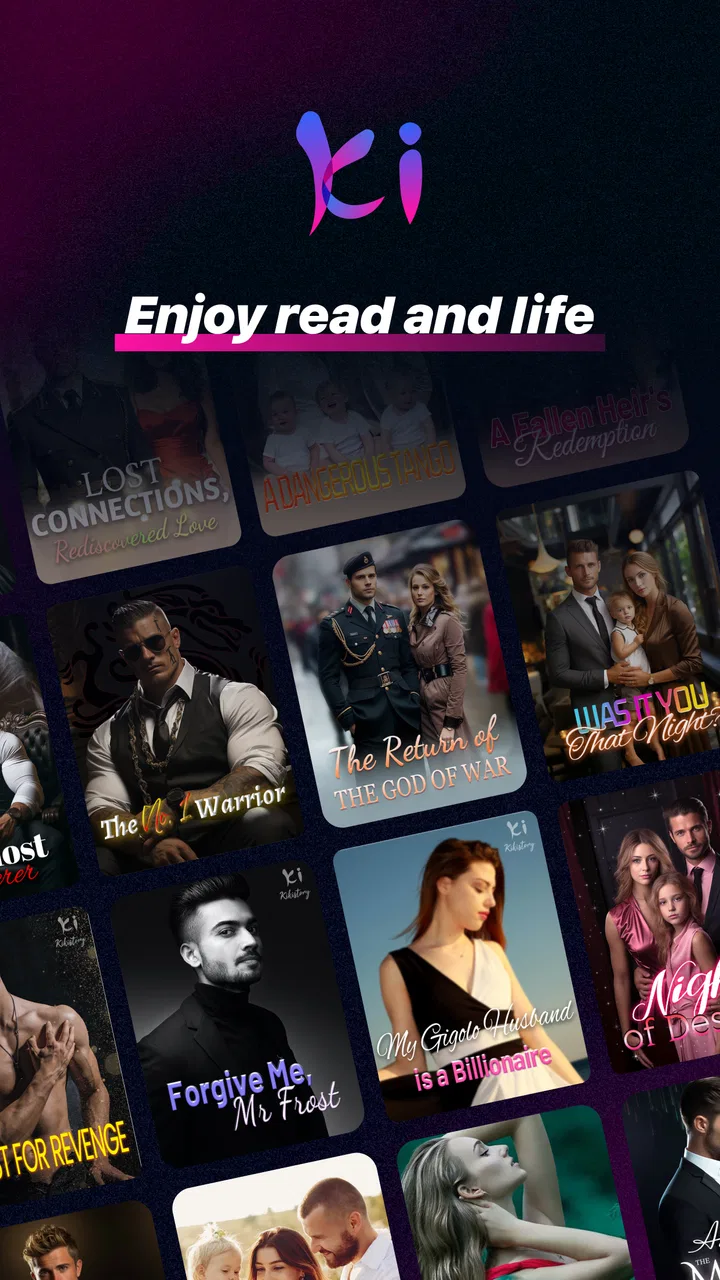
Kikistory-Good Novel & Stories
- 3.2
- Rating
- 500.00K
- Installs
- Free
- Price

 Analysis by App-foxy
I opened Kikistory-Good Novel & Stories expecting a straightforward reading app, but its appeal became clearer after spending more than a few sessions with it. This is a free Books & Reference app from Spoton Limited, aimed at readers who like moving between novels, short stories, trending fiction, and ebooks rather than committing to one traditional book at a time. Its Mature 17+ rating also tells me that it is intended for an adult audience, so it is not a good choice for a child’s shared reading device.
The first impression is easy to understand: there is always something else to open. That variety makes the app inviting when I have only a few minutes, especially during a commute, a lunch break, or the quiet part of the evening when I want a story without planning a full reading session. The app is free to install, and its current version is 2.13.0, running on Android 7.0 or later. That broad compatibility makes it accessible on many older Android phones, although the actual reading experience will still depend on screen quality and general device performance.
What makes the first week so easy to enjoy
During the first week, the strongest quality is discovery. Instead of treating reading as one fixed activity, Kikistory gives me several levels of commitment. I can try a short piece when my attention is limited, browse a longer novel when I have more time, or use the ebook side of the app when I want something that feels closer to conventional digital reading. That range is more useful than it sounds because my reading mood changes constantly.
You May Also Like

 Blood Strike: 2.5 Anniversary
Blood Strike’s Loadouts Turn Every Drop Into a Tactical Gamble
A close look at Blood Strike’s custom loadouts: how fast access to signature weapons reshapes its battle royale rhythm, rewards preparation, and narrows the gap between fights.

 Pandora - Music & Podcasts
Pandora’s Music Is Easy to Start, but Harder to Recover
Pandora’s strength is its low-effort path from a seed to a station. Its weak spot is how much confidence it asks you to place in connection, setup, and quiet recovery.

 8 Ball Pool
8 Ball Pool Is Built on Rivalries, Rematches, and Routine
A close look at the rivalries, rematches, shared routines, and unanswered safety questions that turn a quick pool match into a persistent mobile community.

 Samsung Music
Samsung Music’s Quiet Strength Is Playing What You Already Own
Its reach comes less from spectacle than from dependable access to a personal library. That simplicity is both the app’s strongest retention engine and its ceiling.

 AccuWeather: Weather Radar
AccuWeather Review: A Quick, Clear Forecast for Everyday Decisions
For everyday plans, the best forecast is the one you can understand quickly. AccuWeather makes rain timing, radar, and local conditions easy to act on, with a few trade-offs.

 Hill Climb Racing
Why Hill Climb Racing Still Turns Crashes Into One More Run
A tiny car, a bumpy hill and one more upgrade: Hill Climb Racing keeps resurfacing because its simple chaos makes every near-miss feel personal.
More From Our News Desk



A practical example is an evening when I am too tired for a complicated novel. In a typical ebook reader, I might close the app because the book I am reading demands concentration. Here, I can switch to a shorter story and still keep the habit alive. On another day, I may have a longer train ride and want to return to a continuing novel. This ability to match the format to the moment is the main reason the app feels more welcoming than a single-purpose reader.
The “trending” element is also helpful at the beginning because it reduces the blank-page problem. Many reading services contain more material than anyone can reasonably explore, and the hardest part is often choosing a starting point. Kikistory’s emphasis on current and popular stories gives me a direction without requiring a long search. I still recommend browsing with some patience, though. A prominent story is not automatically the right story for my taste, and the app works best when I treat recommendations as invitations rather than guarantees.
Shorts are particularly well suited to casual use. I can read one while waiting for an appointment or during a short break, then put the phone away without feeling that I have abandoned a major reading session. This is a meaningful difference from buying a complete ebook and discovering that I rarely have enough uninterrupted time to open it. The trade-off is that short-form reading can encourage constant sampling instead of finishing. The app makes starting easy; I have to supply the discipline to continue.
One useful habit is to separate browsing from reading. When I open the app with no plan, I can spend more time scanning covers, summaries, or categories than actually reading. I found it better to choose one longer story for regular sessions and reserve shorts for spare moments. That simple division turns the app from an endless catalogue into a more manageable personal reading shelf.
The free entry point matters as well. I can explore the general experience before deciding whether it deserves a permanent place on my phone. However, free does not mean that every possible reading path is cost-free. In-app purchases range from $0.99 to $199.99 per item, so I would not hand the phone to a younger reader without discussing purchases first. The wide range means that casual exploration and serious spending are both possible, and the user should pay attention before confirming any transaction.
After the novelty of opening many stories wears off, the question becomes whether the app can support a routine. In my view, it can, but only for a particular kind of reader. Someone who likes serialized fiction, frequent discovery, and flexible session lengths may return naturally. Someone who wants one carefully edited book at a time, with a quiet interface and no temptation to browse elsewhere, may find a dedicated ebook reader more satisfying.
How it fits different reading routines
For a commuter, the app’s variety is a real advantage. A long delay can become a novel session, while a normal journey can fit a short story. For a student, it may work as a way to relax after studying, but I would not confuse its fiction catalogue with a research library. The Books & Reference classification describes its broad purpose, yet the everyday experience is much more about recreational reading than academic reference work.
For a reader who often abandons books, the app can lower the emotional cost of trying something new. I can move on from a story that is not working without feeling that I wasted money on a complete purchase. Still, that freedom can become a weakness if I keep abandoning stories after the opening chapters. I recommend setting a small rule, such as reading beyond the initial hook before switching, unless the material is clearly unsuitable.
For an adult who enjoys reading on an older Android phone, the minimum operating system requirement of Android 7.0 is reassuring. I would still test the app on the intended device rather than assuming that compatibility guarantees a perfect experience. Long reading sessions are sensitive to text clarity, battery condition, and how comfortable the phone feels in the hand. Those are not unique to Kikistory, but they determine whether I return to it night after night.
What keeps it useful after the first month
Month-to-month value comes from repeatable access rather than a single memorable feature. I see three recurring reasons to return: the changing selection of stories, the ability to alternate between long and short reading, and the convenience of having several reading moods in one place. If those match my habits, the app can remain useful after the initial curiosity disappears.
The best long-term workflow is to give each format a job. I use longer novels when I want continuity, shorts when I have a narrow time window, and general browsing only when I am genuinely looking for something new. Without that structure, the service can feel like a stream of unfinished beginnings. With it, the variety becomes a tool for maintaining a reading habit during busy weeks.
This is where Kikistory differs from a standard ebook store. A normal store is often centered on selecting and owning individual books, while a conventional ebook reader is centered on reading files already in my library. Kikistory feels more like a discovery-led reading environment. That is convenient when I want fresh material immediately, but less ideal when my priority is building a carefully organized personal collection that remains independent of one app.
It also differs from a paper book in a less obvious way: the phone is both the reading device and the place where distractions live. I may intend to read for fifteen minutes and then leave the app to check another notification. A physical book does not create that particular temptation. If I want the app to support a lasting habit, I need to make the reading session deliberate, perhaps by silencing notifications or choosing a regular time when I do not need the phone for anything else.
The audience size suggests that the service has found a substantial group of interested readers. It has over 500 thousand installs, an average rating of 3.2 from around 5.3 thousand ratings, and 358 written reviews. I read that combination as a reason to keep expectations measured. Plenty of people have tried it, but the rating is not a signal of universal satisfaction. For me, that makes personal fit more important than popularity.
One of the more useful ways to judge the app is to ask whether it solves a recurring problem. If my problem is “I want something readable right now, but I do not know what to choose,” Kikistory addresses it well. If my problem is “I need a distraction-free tool for books I already own,” it is not necessarily the best answer. If my problem is “I want to read in short bursts without losing the enjoyment of longer fiction,” it becomes considerably more compelling.
I would also think about reading continuity. A long story only has value if I can reliably find my place and feel comfortable returning to it. Before investing emotionally in a serialized novel, I would spend a few days checking how naturally I can move between the story and the rest of the catalogue. This is a small but important test: discovery is attractive, but continuity is what creates loyalty.
The maintenance cost of keeping it in my routine
Kikistory is not difficult to maintain in the same way as a complicated productivity app, but it does ask for attention. The main burden is choice management. A large stream of stories can make it harder to remember what I intended to read, especially if I keep opening new titles. I found that keeping one primary novel and one backup short story is more sustainable than collecting a long queue of unfinished options.
There is also a financial maintenance question. Because the app is free to use but includes purchases, I would treat it like a reading service with optional spending rather than assume that every desirable path is included without cost. The safest approach is to decide in advance whether I am only browsing free material or whether I am willing to pay for selected reading. That boundary prevents small, impulsive purchases from becoming part of the routine.
The app’s Mature 17+ classification is another practical consideration. I would not install it on a family tablet intended for younger children without checking how it will be used. An adult reader can make an informed choice about the material, while a child may encounter themes that are not appropriate for them. The age label should be treated as part of the app’s identity, not as a minor footnote.
Version 2.13.0 indicates that the app is an actively maintained product rather than an abandoned reader, but updates alone do not guarantee that every change will suit every user. I prefer to reassess the app after updates by checking whether my reading flow still feels comfortable. If a new arrangement makes discovery easier but returning to an ongoing story harder, the change may be positive for newcomers and frustrating for regular readers at the same time.
Storage and phone attention are worth considering too. Reading apps become more demanding when they encourage constant browsing, images, and switching between sections. I would keep the device’s general storage in mind and avoid treating the app as a replacement for a dedicated offline library unless its reading behavior fits that purpose for me. The practical test is simple: can I open it during the moments when I normally read without feeling that it creates extra work?
Where the enthusiasm can fade
The biggest source of fatigue is the endless-choice effect. At first, having novels, trending stories, shorts, and ebooks together feels generous. Later, it can feel repetitive if I keep seeing similar recommendations or if the discovery process becomes more prominent than the reading itself. The cure is not more browsing. It is choosing a title and staying with it long enough to form a real opinion.
Another possible frustration is the difference between a quick hook and lasting quality. Short descriptions and popular placement can make a story look immediately appealing, but the opening promise may not match the experience over many chapters. I would judge a title by its ability to hold my attention after the initial setup, not by how quickly it convinces me to tap.
Readers who prefer polished, complete books may also feel that the app’s mixed formats lack consistency. A traditional ebook purchase usually gives me a clearer sense of what I am getting: one book, one reading path, and a defined finish. Kikistory is more fluid, which is useful for exploration but less reassuring when I want editorial predictability.
There is a similar trade-off with ownership. If I mainly want to build a permanent library that I can manage independently, a standard ebook store and reader may be a better fit. Kikistory makes more sense when access and discovery matter more than collecting files or maintaining a carefully curated shelf. That distinction should guide the decision before spending money inside the app.
The rating of 3.2 is worth keeping in mind because it reflects a mixed overall response rather than a clear consensus. I would not use that number to dismiss the app, since a discovery-focused reading service can suit one reader and annoy another. I would use it as a reminder to test the actual reading flow: find a story, read enough to get past the first impression, and decide whether returning feels natural.
Who should install it, and who should skip it
I recommend trying Kikistory if I want fiction available in different lengths, enjoy discovering unfamiliar stories, and often read in unpredictable pockets of time. It is especially suitable for someone who wants a free starting point and is comfortable deciding independently which material deserves continued attention. The app earns its place when it helps me read more often than I would with a single long book waiting on a shelf.
I would skip it if I need an academic reference tool, a completely distraction-free ebook reader, or a dependable home for books I already own. I would also be cautious if I dislike in-app purchase systems or tend to make impulse decisions when new content is constantly presented. In those cases, a dedicated reader or conventional ebook store may provide a calmer and more controlled experience.
My most effective test would be a one-week routine rather than a quick installation. I would choose one longer story, use shorts only for brief gaps, avoid opening several new titles at once, and note whether I still want to return after the first few sessions. If the app supports that simple pattern, it has genuine recurring value. If I spend most of the week browsing and abandoning stories, the novelty is doing more work than the reading experience.
That test also answers an important question: does the app save time or consume it? For me, it saves time when I already know I want to read but have no idea what to open. It consumes time when I use discovery as a substitute for reading. The difference is not hidden in a setting; it comes from how deliberately I use the catalogue.
My long-term verdict
After the first-week excitement fades, Kikistory remains worthwhile for readers who value variety, short sessions, and ongoing discovery more than a traditional ownership model. Its free entry point makes experimentation easy, while the mixture of novels, shorts, trending fiction, and ebooks gives it more flexibility than a basic reader. Spoton Limited has built an app that can fit around an irregular schedule rather than demanding one fixed reading style.
My reservation is that the same flexibility can weaken commitment. The app does not automatically create a lasting reading habit; it gives me enough options to create one, or enough distractions to avoid one. The purchase range, Mature 17+ audience, mixed user response, and discovery-heavy design all make it important to use the app intentionally.
My recommendation is to install it as a flexible fiction companion, not as a universal replacement for every reading tool. Keep one main story in progress, use short pieces to protect the habit on busy days, and decide beforehand how you will handle paid content. If that approach matches the way you read, Kikistory can earn permanent space on an Android phone. If you want a quiet, ownership-focused library with minimal temptation to browse, a dedicated ebook alternative will likely serve you better over time.
FAQs for Kikistory-Good Novel & Stories
01What is Kikistory-Good Novel & Stories?
Kikistory-Good Novel & Stories is a reading app focused on serialized fiction, romance, drama, fantasy, and other popular story genres. After exploring its catalog, the main experience is built around discovering novels, opening chapters, and continuing stories over time. Titles may be updated regularly, so readers who enjoy ongoing fiction can find new chapters and different reading options in one place.
02Is Kikistory-Good Novel & Stories free to download and use?
The app can generally be downloaded without an upfront purchase, but that does not necessarily mean every story and chapter is completely free. Some content may be available at no cost, while later chapters, premium novels, or special features could require in-app coins, credits, subscriptions, or other payments. Before spending money, check the current pricing and the app’s purchase terms.
03Does Kikistory-Good Novel & Stories require an internet connection?
An internet connection is normally needed to browse the library, load book covers, open new chapters, synchronize reading progress, and access account-related features. Depending on the version of the app, some chapters may be available for offline reading after they have been downloaded or unlocked. Availability can vary, so users should not assume that the entire catalog works offline.
04What types of stories can readers find in the app?
Kikistory-Good Novel & Stories is aimed at readers who enjoy digital novels and frequently updated fiction. Its selection may include romance, contemporary drama, fantasy, supernatural stories, billionaire or celebrity romances, and other serialized genres commonly found in reading platforms. The exact catalog can change over time, and content quality, writing style, and translation may differ from one title to another.
05Is Kikistory-Good Novel & Stories suitable for everyone?
The app may be suitable for teenagers and adults who enjoy long-form serialized fiction, but users should review each story’s description, age guidance, and content warnings before reading. Some novels can include mature themes such as relationship conflict, violence, emotional distress, or sexual references. Parents should also check device controls and payment settings if the app is installed on a child’s phone.
Pros
- Large selection of novels and serialized stories
- Easy-to-use reading interface with smooth chapter navigation
- Regular updates keep ongoing stories fresh
- Personal library helps organize saved titles
- Suitable for discovering independent and lesser-known writers
Cons
- Some stories may contain inconsistent editing or writing quality
- New chapters can depend on an author’s update schedule
- Certain content may require coins or in-app purchases
- The catalog may focus heavily on romance and dramatic fiction
- Offline reading options may be limited for some titles

Kikistory-Good Novel & Stories
Gallery